Are AI Photos Allowed on Dating Apps? Tinder, Hinge, Bumble
Are AI photos allowed on dating apps like Tinder and Hinge? What the rules expect, how verification works, and how to use AI dating photos responsibly.
AI photo tools have made it easy to get polished, natural-looking pictures without booking a photographer. That raises a fair question: are AI photos allowed on dating apps? And if they are, how do you use AI dating photos on Tinder, Hinge, or Bumble without crossing a line?
The short answer: dating apps care less about how a photo was made and more about whether it honestly represents you. This guide explains what that means in practice, how verification fits in, and how to use AI photos responsibly.
This article is general guidance, not legal advice, and app policies change. Always read the current community guidelines and terms of the app you use.
What Dating Apps Actually Expect
Every major dating app has rules about authenticity. The wording differs, but the core expectations are consistent:
- Your photos must be of you. No photos of celebrities, friends, or strangers presented as you.
- You shouldn't misrepresent yourself. Your photos should reflect what you actually look like.
- No impersonation or fake accounts. You can't pretend to be someone else or create a fictional person.
- No inappropriate content. Nudity, violence, and other restricted content is off-limits regardless of how it was made.
At the time of writing, most apps don't publish a detailed, standalone rule that says "AI-generated photos are banned" or "AI-generated photos are fine." Instead, AI images fall under these existing authenticity rules. Some apps have started adding AI-related language to their guidelines or features, so check the latest version before you upload.
The Line Between OK and Not OK
Here's a practical way to think about it:
| Use of AI | Generally acceptable? | Why |
|---|---|---|
| Better lighting, background, or setting with your real face | Usually fine | You still look like you |
| Photos based on your selfies in a new scene (cafe, park, city) | Usually fine if realistic and honest | Represents your real appearance |
| Removing a stray object or improving image quality | Usually fine | Minor edit |
| Changing your face shape, body, height, or age | Not OK | Misrepresents what you look like |
| Making yourself look like a different person | Not OK | Deceptive, may violate terms |
| Fully synthetic person with no connection to you | Not OK | Fake profile |
| Using AI images of someone else | Not OK | Impersonation |
The test is simple: if your date met you in person tomorrow, would they recognize you from these photos and feel the photos were fair? If yes, you're likely in good territory. If they'd feel misled, don't use it.
How Photo Verification Fits In
Tinder, Hinge, and Bumble all offer some form of verification that compares a live selfie or video to your profile. Verification is designed to confirm that a real person who matches the profile is behind the account.
Some important points:
- Verification checks you, not your editing software. It compares your live face to your profile photos.
- Profiles that don't match may fail verification, or verification may be removed later if photos change.
- No tool can promise you'll pass verification. Ours doesn't either. The best way to stay consistent is to make sure your profile photos genuinely look like you today.
- Being verified is a trust signal. Many people prefer to match with verified profiles.
If you plan to verify, that's one more reason to keep AI photos realistic and close to how you look.
Why People Use AI Dating Photos
There are good, honest reasons someone might use AI-assisted photos:
- They don't have recent photos of themselves alone. Most camera rolls are group shots and screenshots.
- They feel awkward asking a friend to take pictures.
- They can't afford a professional photographer.
- Their existing photos are dark, blurry, or outdated.
- They want a few natural lifestyle shots to show their interests, like a cafe, a hike, or a bookstore.
None of these involve deceiving anyone. They're about presenting your real self in better conditions.
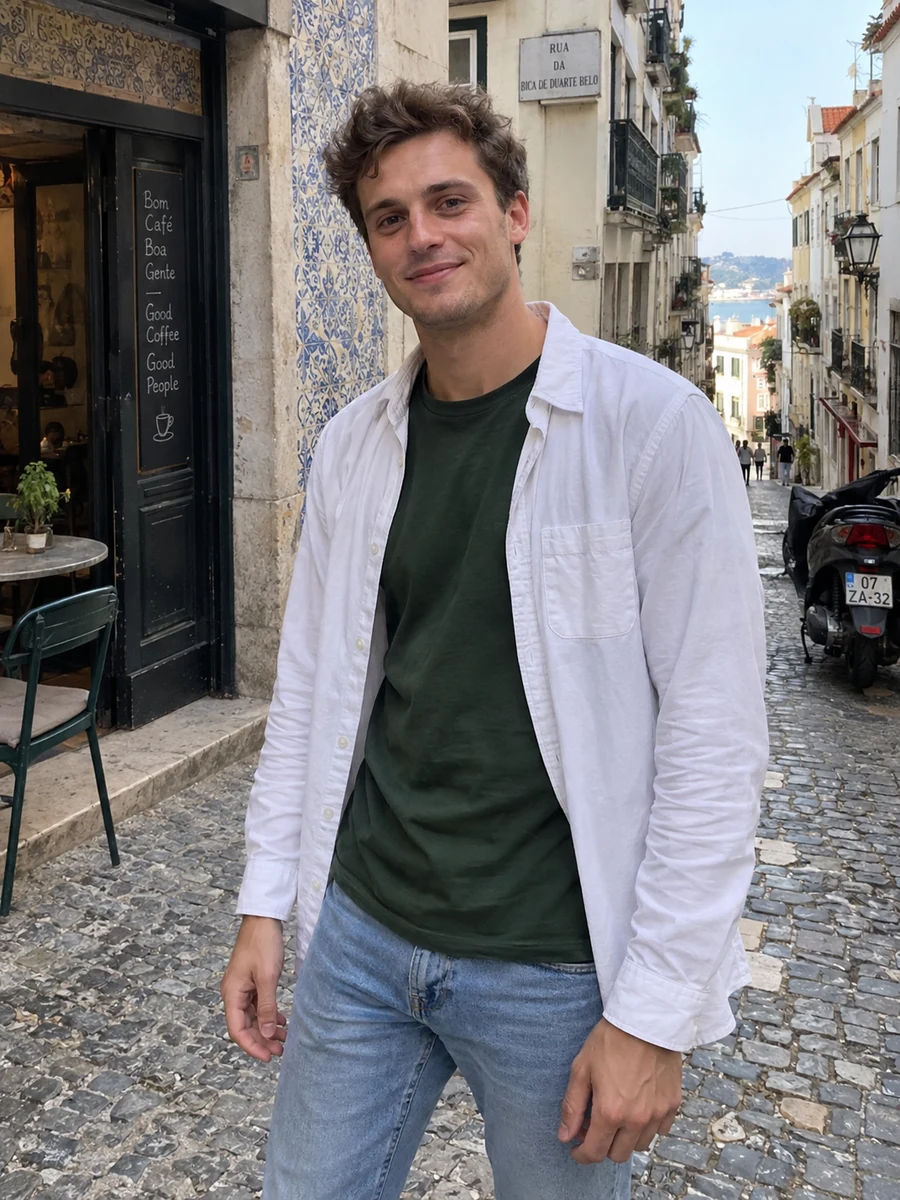
How to Use AI Photos Responsibly
1. Keep your real face and body
Choose tools and settings that preserve your actual features. Don't slim your face, change your jawline, alter your skin dramatically, or adjust your body shape. If the result doesn't look like you, discard it.
2. Mix AI photos with real ones
A strong profile usually includes some genuine, unedited photos alongside any AI-assisted ones. A recent real selfie and a candid shot from a friend add credibility, and they help your matches see you consistently.
3. Use recent selfies as input
If your AI photos are based on selfies from five years ago, they'll represent who you were then, not now. Use current photos, with your current hairstyle and look.
4. Pick realistic scenes
A coffee shop, a park, a city street, a bookstore, or a home kitchen feels believable. A private jet or a red carpet event you've never attended does not. Stick to settings that match your actual life and interests.
5. Avoid "too perfect"
Overly smooth skin, studio lighting everywhere, and identical poses can look artificial. Natural light, relaxed expressions, and slight imperfections feel more trustworthy.
6. Be ready to be open about it
You don't need to label every photo, but if a match asks, be honest. Saying "a couple of these are AI-assisted from my selfies, but this is what I look like" is a perfectly reasonable answer.
7. Verify your profile
If the app offers verification and your photos genuinely reflect you, verifying is a good way to signal trust.
The Ethics Question
Most people are fine with filters, good lighting, and choosing flattering angles. That's always been part of dating profiles. AI photos sit on the same spectrum, and the ethics come down to the same principle: don't mislead people about who you are.
Where AI photos become a problem:
- When they're used to look significantly different from reality
- When they're used to run fake or scam profiles
- When they're used to impersonate someone else
When they're used to show your real self in better light and more natural settings, they're closer to hiring a photographer than to catfishing.
Red Flags to Avoid With AI Dating Photos
- Every photo looks like it came from the same photoshoot
- Hands, accessories, or backgrounds look distorted
- Your face looks noticeably different across photos
- Scenes don't match anything in your bio or prompts
- No unedited photos anywhere on your profile
If you're not sure how your mix of photos comes across, a second opinion helps.
FAQ
Are AI photos allowed on Tinder?
Tinder's guidelines require that photos represent you and prohibit impersonation and misleading profiles. AI-assisted photos that genuinely show your real appearance are generally in line with that principle, while photos that change how you look or depict someone else are not. Check Tinder's current guidelines for the latest wording.
Are AI photos allowed on Hinge?
The same principle applies. Hinge expects your profile to authentically represent you. Use AI photos only if they accurately reflect what you look like, and mix them with real photos.
Can AI photos pass dating app verification?
Verification compares your live face to your profile. Nobody can guarantee a result. Realistic photos that genuinely look like you are the most consistent with what verification is designed to check.
Should I tell my matches I used AI photos?
You don't need a disclaimer on your profile, but be honest if someone asks. The goal is that nobody feels surprised when they meet you.
Use AI to Show the Real You
Before you change anything, see how your current photos come across with our free dating photo review. If you want a few natural lifestyle shots that keep your real face, you can create dating photos from your selfies, then mix them with real photos for a profile that's both attractive and honest.
Image note: these are fictional style examples created with GPT Image. Actual Lumatch generation uses Seedream; results depend on your reference photos.